How to Reduce Buffering in OTT Without Hurting Video Quality


A 2-second delay can feel small inside a dashboard, but to a viewer, it feels like the platform is failing. Buffering is not only a playback issue. It affects watch time, retention, subscription confidence, and the way viewers judge the quality of your OTT brand.
For serious OTT teams, the goal is not just to “reduce buffering“. The real goal is to build a streaming setup that keeps playback stable without making the video look soft, compressed, or cheap.
The Problem
Why Buffering Is a Bigger Problem in OTT Than Most Teams Think
In OTT, playback quality is product quality. Viewers may forgive one weak thumbnail or one average recommendation, but repeated buffering breaks trust quickly.
The difficult part is that buffering often looks like a simple internet issue from the outside. In reality, it can come from encoding, CDN setup, player logic, device performance, traffic spikes, or poor analytics.
Buffering Hurts Watch Time, Retention, and Viewer Trust
A viewer who buffers once may continue. A viewer who buffers repeatedly starts looking for alternatives. That is where buffering becomes a business problem, not just a technical one.
OTT retention depends on smooth sessions. If playback stops during a movie, class, workout, or live event, the viewer does not think about infrastructure.
The Problem Is Not Always the Internet Alone
Weak networks matter, but they are not the full story. Many OTT platforms blame the viewer’s connection too early.
A platform with poor bitrate planning, slow segment delivery, weak CDN routing, or heavy player logic can buffer even when the viewer’s internet is strong enough.
Fixing Buffering the Wrong Way Can Damage Video Quality
Reducing video size without a strategy can make the platform feel cheaper. Over-compression may reduce buffering, but it can also create blurry motion, weak detail, and a poor viewing experience.
The better approach is controlled optimization. You reduce waste in delivery without damaging what the viewer sees on screen.
Root Causes
What Causes Buffering in OTT Streaming
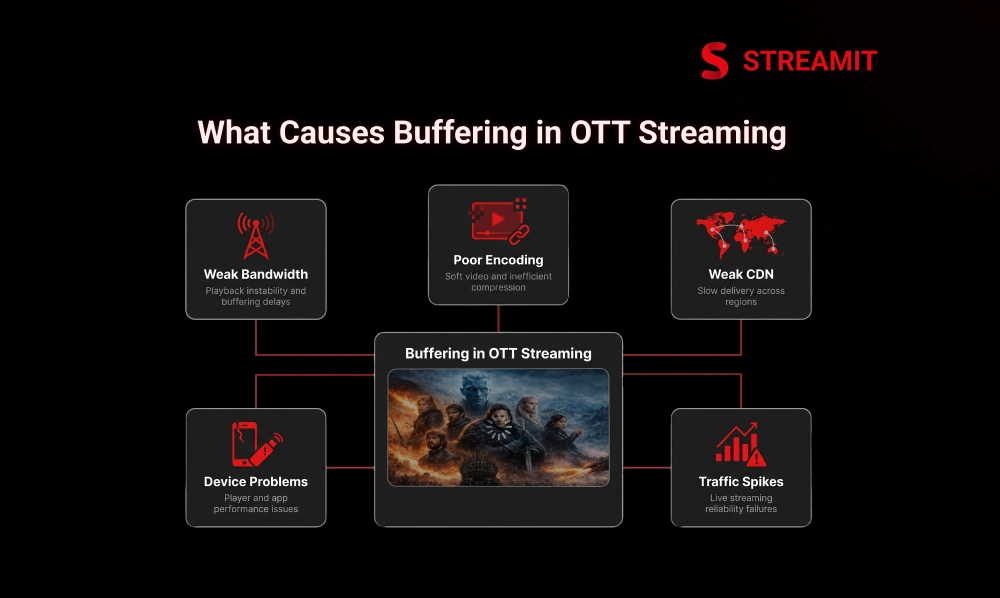
Buffering often occurs when several small issues build up simultaneously. One part of the streaming chain slows down, another fails to respond quickly, and the viewer ends up stuck on the loading screen.
| Cause | What It Affects | Business Risk |
|---|---|---|
| Weak bandwidth | Playback stability | Drop-offs |
| Poor encoding | Quality and file size | Soft video |
| Weak CDN | Delivery speed | Regional issues |
| Device problems | Player performance | App complaints |
| Traffic spikes | Live reliability | Failed events |
Unstable Bandwidth and Weak Network Conditions
Mobile viewers often move between strong and weak networks within the same session. A fixed-quality stream cannot handle this well.
This is why mobile optimisation matters. The player needs enough flexibility to adjust quality without stopping playback every time the connection changes.
Poor Encoding, High Bitrate, and Large Video Files
A large file is not always a high-quality file. Poor encoding can create heavy videos that still do not look premium.
Good video encoding balances resolution, bitrate, codec, motion, and screen size. The goal is to send the right amount of data, not the maximum amount.
Weak CDN Setup and Slow Video Delivery
If every request travels too far, buffering becomes predictable. A video CDN and edge caching reduce this distance by serving content closer to viewers.
For growing OTT platforms, CDN load balancing becomes important because one delivery path may not perform equally well across every region.
Device, Browser, and App Performance Problems
Playback can fail even when delivery is working. Older TVs, low-memory phones, browser limitations, and app-side errors can slow down the experience.
This is why OTT TV app testing, browser testing, and playback error tracking should be part of performance planning.
Traffic Spikes During Live Events and Peak Hours
Live traffic rarely increases steadily. It usually comes in sudden waves, especially during sports matches, concerts, premieres, religious events, or breaking news, where thousands of viewers may join at the same time.
A scalable OTT platform needs a live streaming infrastructure that can recover quickly when demand rises faster than expected.
The Fix
How to Reduce Buffering Without Hurting Video Quality
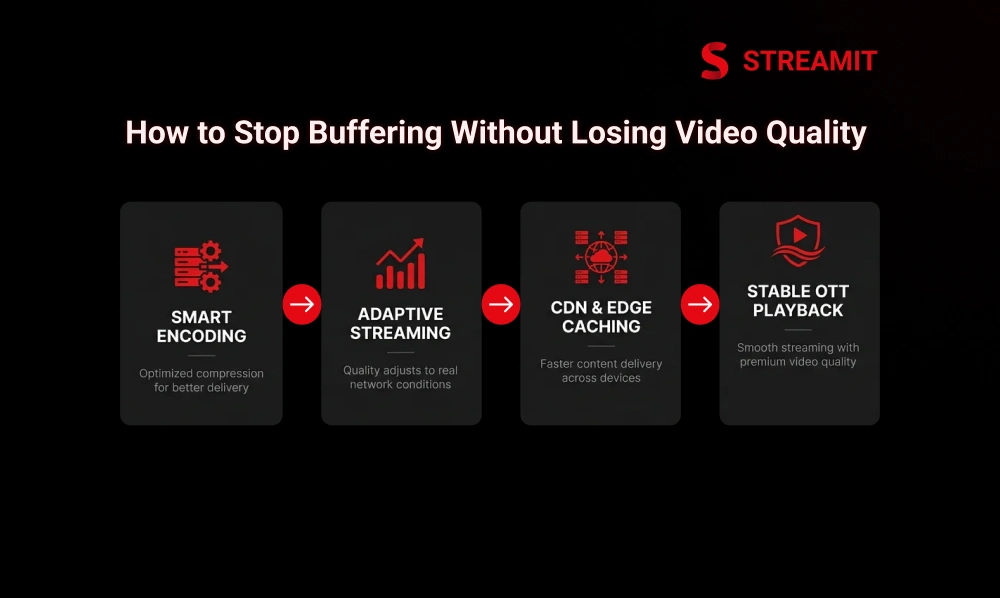
The strongest fix is not one tool. It is the right playback architecture. Buffering improves when encoding, CDN, caching, adaptive streaming, and player logic work together.
Apple describes HLS as designed to adapt playback to available wired and wireless connection speeds, which is exactly why adaptive delivery matters in real-world OTT environments.
Use Adaptive Bitrate Streaming Instead of One Fixed Video Quality
One fixed quality assumes every viewer has the same network. They do not. Adaptive streaming gives the player multiple quality options.
When bandwidth drops, the player can shift to a lower version. When bandwidth improves, it can return to higher quality without forcing a restart.
Let the Player Adjust Quality Based on Real Viewer Bandwidth
A smart player protects the session first. It reads network conditions and selects the best available stream for that moment.
This keeps playback moving instead of forcing the viewer to manually change quality settings.
Keep Quality Ladders Smart So Playback Stays Smooth
A bitrate ladder should be designed, not guessed. Too few steps create visible quality jumps. Too many steps add complexity without much gain.
The right ladder depends on your content type, audience devices, regions, and network conditions.
Optimize Encoding Before the Video Reaches the Viewer
Encoding decisions made before playback shape everything the viewer experiences later. Bad encoding creates delivery problems before the first viewer presses play.
Video transcoding should create multiple optimized versions for different devices, networks, and screen sizes.
Use Better Codec, Bitrate, and Resolution Planning
Better codecs can reduce file weight, but device support still matters. H.265 and AV1 can help, but they should not be used blindly.
The practical move is to match codec strategy with your audience’s devices and playback environments.
Avoid Sending More Data Than the Screen or Network Can Handle
A mobile viewer does not always need the same stream as a smart TV viewer. Sending unnecessary data increases buffering risk.
Bitrate optimization allows the platform to maintain clear video quality while using only the bandwidth needed for smooth playback.
Improve CDN and Edge Delivery for Faster Streaming
The closer the content is to the viewer, the faster the platform can respond. Edge caching helps reduce delivery time and origin load.
For OTT teams, this becomes more important as the audience spreads across cities, countries, and device types.
Deliver Content From Servers Closer to the Viewer
Distance creates delay. Edge delivery reduces it. Instead of pulling video from one central server, cached content can be served from nearby locations.
This improves playback startup and reduces pressure on the origin server.
Use Multi-CDN for Better Stability During Traffic Peaks
One CDN can be enough at launch, but not always at scale. Multi-CDN gives the platform more delivery options when one route slows down.
Streamit positions zero-buffer, multi-CDN streaming and high-availability infrastructure as part of its scale-focused OTT approach.
Reduce Startup Delay With Smarter Caching and Preload Logic
The first 3 seconds shape the viewer’s confidence. If the video starts slowly, the platform already feels heavy.
Smarter preload logic, cached segments, and optimized player startup can reduce the time between click and playback.
Match Live and VOD Delivery to Different Playback Needs
Live and VOD should not be treated as the same delivery problem. They have different pressure points.
Live needs fast recovery and lower delay. VOD needs stable long sessions, clean seeking, and consistent quality over time.
Live Streaming Needs Lower Latency and Faster Recovery
Live viewers are less patient because the moment is happening now. Delays during sports, events, or news feel more painful.
Low latency live streaming needs careful segment duration, CDN readiness, and fast player recovery.
VOD Needs Better Start Time and Stable Long Playback Sessions
For VOD, the win is not only a fast start. It is uninterrupted viewing. Movies, shows, and courses need long-session stability.
Adaptive streaming, caching, and strong analytics help protect these sessions.
Protocols
HLS, DASH, and CMAF: Which Setup Helps More?
The best protocol is the one that fits your device strategy. HLS, DASH, and CMAF are not just technical choices. They affect compatibility, latency, and delivery control.
| Setup | Best For | Main Benefit |
|---|---|---|
| HLS | Broad device support | Reliability |
| DASH | Flexible device goals | Adaptive control |
| CMAF | Lower delay workflows | Shared segments |
When HLS Makes More Sense for OTT Delivery
HLS is often the safer choice when device coverage matters. It works well across many streaming environments and is widely used for live and VOD delivery.
For OTT teams, HLS makes sense when reliability and compatibility are the first priority.
When DASH Helps With Device and Delivery Goals
DASH can be useful when you need more control across non-Apple environments. It supports adaptive delivery and can fit complex streaming workflows.
The choice depends on devices, DRM needs, player support, and internal delivery strategy.
When CMAF Helps Reduce Delay Without Breaking Compatibility
CMAF helps teams reduce duplication in delivery workflows. It can support lower delay while keeping delivery more efficient.
For platforms managing both HLS and DASH workflows, CMAF can simplify parts of the packaging strategy.
Hidden Issues
Buffering Problems OTT Teams Often Miss
Not every playback issue starts inside the video file. Sometimes the platform feels slow because supporting assets and player logic are not optimized.
This is where many teams lose time. They keep tuning the CDN while the real issue sits in metadata, thumbnails, DRM flow, or app performance.
Metadata and Thumbnail Load Can Also Slow the Experience
A slow homepage can make playback feel slow before the video even starts. Heavy thumbnails, poor image loading, and weak metadata APIs affect the full experience.
Smart thumbnail handling and clean content personalization logic help reduce unnecessary delay.
Playback Can Break Even When Video Delivery Looks Fine
DRM, tokens, sessions, and app security checks can interrupt playback. If these systems are not handled carefully, the viewer sees failure even when video delivery is healthy.
Playback testing should include authentication, subscription access, DRM, and device-specific cases.
Weak Analytics Makes It Hard to Know Where Buffering Starts
You cannot fix what you cannot locate. General analytics may show views and watch time, but not the exact point where playback fails.
OTT teams need buffering rate, startup time, playback failure rate, device data, and region-level reporting.
The Problem May Be in the Player, Not the CDN
A CDN can deliver correctly while the player still makes poor decisions. Bad buffer logic, aggressive quality switching, or poor error handling can create interruptions.
This is why playback logic needs the same attention as backend infrastructure.
Use Cases
Buffering Fixes for Different OTT Use Cases
Different OTT businesses need different playback priorities. A fitness platform, sports app, learning platform, and movie platform do not fail in the same way.
| Use Case | Playback Priority |
|---|---|
| Live sports | Low delay, fast recovery |
| Movies | Long-session stability |
| Learning | Mixed-network reliability |
| Fitness | Mobile-first quality |
Live Sports and Events Need Faster Recovery and Lower Delay
For live sports, late playback is almost as bad as failed playback. Viewers expect real-time action.
The platform needs scalable live infrastructure, low latency planning, and strong failover logic.
Entertainment and Movie Platforms Need Stable Long Sessions
Movie viewers care about immersion. One interruption can break the session.
Entertainment OTT platforms should prioritize stable bitrate ladders, strong CDN delivery, and clean TV app performance.
Learning and Coaching Platforms Need Smooth Playback on Mixed Networks
Learning audiences often watch from homes, offices, hostels, and mobile networks. Their conditions vary.
A custom eLearning platform needs adaptive streaming and mobile optimisation to protect completion rates.
Fitness and Creator Platforms Need Good Quality on Mobile First
Fitness viewers often watch while moving, training, or casting from mobile. Playback must stay smooth without losing visual clarity.
Creator platforms also need simple upload, optimized transcoding, and reliable app playback.
Measurement
What to Measure Before and After You Fix Buffering
A buffering fix is only real when the metrics improve. Guessing based on complaints is not enough.
OTT teams should measure playback before changes, then compare the same metrics after optimization.
Startup Time, Rebuffer Rate, and Playback Failure Rate
These three metrics expose the health of playback quickly. Startup time shows how fast the video begins.
The rebuffer rate shows interruptions. Playback failure rate shows sessions that never recovered.
Watch Time, Session Length, and Drop-Off Points
Buffering is visible in engagement data. If users drop after playback starts, quality may be the hidden reason.
Session length and drop-off points help connect technical performance with OTT retention.
Device-Level and Region-Level Performance
Average performance hides local problems. One region, browser, or TV model may be creating most complaints.
Device and region analytics help teams fix the right problem first.
The Real Trade-Off
The Trade-Off Most Blogs Miss: Less Buffering vs Worse Quality
The wrong fix can reduce buffering and still hurt the brand. If videos start fast but look poor, premium viewers notice.
The better goal is balance: strong quality, fast start time, stable playback, and controlled delivery cost.
Over-Compressing Video Can Reduce Buffering but Hurt Brand Perception
Soft video makes a serious platform feel unfinished. Over-compression can damage detail, motion, and trust.
Compression should remove waste, not remove quality.
Over-Chasing Quality Can Raise Buffering and Hurt Retention
Maximum quality is not always the best experience. A stream that looks perfect but keeps stopping will lose viewers.
OTT teams need quality that the network can sustain.
The Best OTT Setup Balances Quality, Start Time, and Stability Together
Good playback is a three-part decision. Quality, startup speed, and stability must work together.
This is where proper OTT tech solutions matter more than surface-level design.
Platform Requirements
What a Good OTT Platform Must Support to Reduce Buffering
A strong OTT platform is not just an app with a video player. It needs delivery control, encoding flexibility, analytics, and multi-device readiness.
Streamit’s platform messaging focuses on enterprise architecture, multi-device delivery, monetization complexity, and avoiding rebuilds as platforms grow.
Adaptive Streaming, Encoding Control, and Better Delivery
The platform should support multiple quality levels by default. It should also allow encoding control based on content type and audience needs.
This gives teams more control over playback quality and delivery efficiency.
Multi-CDN, Edge Logic, and Load Balancing
Scale needs routing intelligence. Multi-CDN, edge caching, and load balancing help platforms stay stable during peak demand.
This is especially important for live events and regional growth.
Analytics to Track Buffering by Device, Region, and Session
Playback analytics should show where the problem starts. Device-level and region-level data make troubleshooting faster.
Without this, teams may spend money fixing the wrong layer.
Flexible Playback Setup for Live, VOD, and Multi-Device Use
Live, VOD, mobile, web, and TV all need different playback handling. A good OTT platform should support these differences.
That flexibility prevents teams from rebuilding when the business expands.
Why Streamit
Why Streamit Fits OTT Teams That Want Better Playback
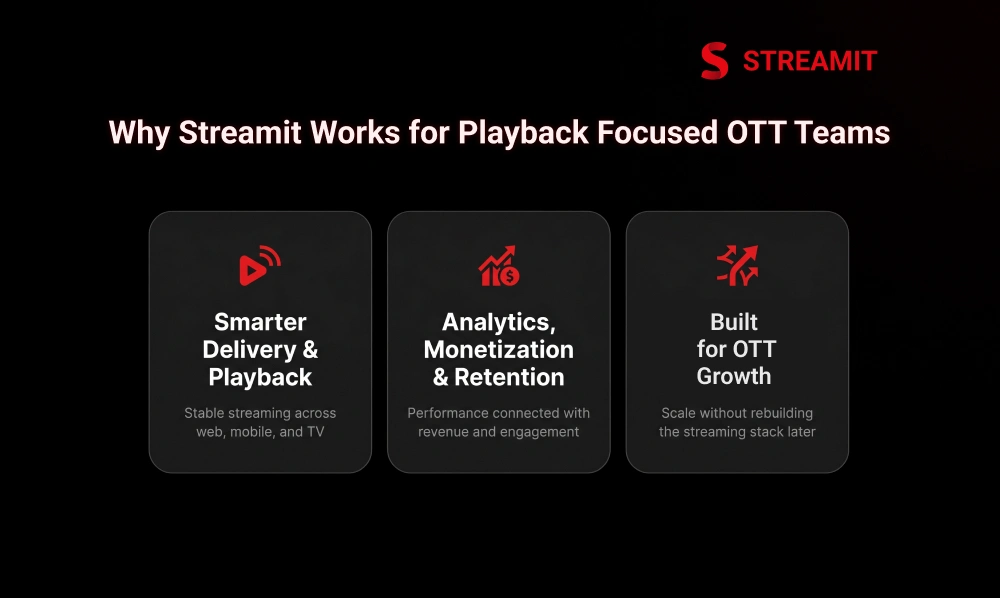
Streamit is built for teams treating streaming as a business, not just an app. Its positioning focuses on infrastructure, ownership, scale, analytics, and long-term control.
For founders and operators, that matters because buffering is rarely a one-time fix. It is an ongoing architectural decision.
Supports Smarter Delivery, Better Playback, and Multi-Device OTT
Streamit supports OTT delivery across web, mobile, and TV environments. That gives teams a stronger foundation for consistent playback.
The goal is not only to launch. It is to keep the experience stable as users, content, and devices grow.
Supports Better Analytics, Monetization, and Retention Together
Playback affects revenue. If users cannot watch smoothly, subscriptions, ads, rentals, and engagement all suffer.
Streamit connects performance thinking with monetization and retention, instead of treating them as separate problems.
Supports OTT Growth Without Rebuilding the Streaming Stack Later
The expensive mistake is building for launch and paying again for scale. Streamit’s positioning is focused on long-term infrastructure and platform control.
That makes it a fit for OTT teams that want fewer compromises as the business grows.
Summary
Key Takeaways
Buffering Is Not Just an Internet Issue
It can come from encoding, CDN setup, device performance, player logic, and traffic spikes – often all at once.
Video Quality Should Not Be Sacrificed Blindly
The goal is smoother playback without making the platform look low-quality. Over-compression damages brand trust.
Adaptive Streaming Works Best With Full Stack Support
ABR is essential but not sufficient alone – it needs smart encoding, CDN planning, caching, and analytics to perform at scale.
Live and VOD Have Different Delivery Needs
Live needs fast recovery and lower latency. VOD needs stable long-session playback. Treating them the same creates gaps.
Analytics Should Guide Every Fix
Measure startup time, rebuffer rate, playback failures, watch time, devices, and regions before and after optimization.
Platform Architecture Matters More Than One Tool
The best playback performance comes from encoding, CDN, caching, player logic, and analytics working together as a system.
Conclusion
Conclusion
Reducing buffering without hurting video quality is not a quick patch. It is an architectural decision. OTT teams need to think beyond compression and internet speed.
The stronger approach is to design playback around real users, real networks, real devices, and real traffic. When adaptive streaming, encoding, CDN delivery, caching, player logic, and analytics work together, the platform becomes more reliable without losing visual quality.
For serious OTT businesses, this is the difference between a platform that only launches and a platform that holds up when growth begins.
FAQs
Frequently Asked Questions
-
Why does buffering still happen even with a strong CDN?
Buffering can still happen because the CDN is only one part of the playback chain. Encoding, player logic, device performance, DRM, network changes, and app errors can also slow or break playback.
-
How do you reduce buffering without making the video look soft?
Use adaptive bitrate streaming, better encoding, smart bitrate ladders, and CDN optimization together. The goal is to reduce unnecessary data, not remove important visual detail.
-
Is adaptive streaming enough to fix buffering on its own?
Adaptive streaming helps a lot, but it is not enough alone. It needs proper encoding, CDN delivery, caching, player logic, and analytics to work well at scale.
-
When does buffering come from the player, not the CDN?
Buffering can also happen because of the video player itself. If quality changes, preload behavior, buffer control, or recovery logic are not handled properly, playback can still fail even when the CDN is delivering the video correctly.
-
What OTT metrics show buffering is hurting retention?
Watch time, session length, rebuffer rate, startup time, playback failure rate, and drop-off points are the most useful metrics. If users leave soon after playback starts, buffering may be affecting retention.
-
What matters more for OTT quality: codec choice or CDN setup?
Both matter, but neither works alone. Codec choice affects video weight and quality, while CDN setup affects delivery speed and stability.
Read Also
Read Also
1. 11 Ways to Improve Streaming Performance & Reduce Buffering
2. QoE vs QoS: Why Viewers Quit Streaming And How to Fix It
3. Multi CDN vs Single CDN: Which Is Best for OTT Streaming?
4. 10 Streaming Features Every OTT Service Needs
5. How Adaptive Streaming Works- ABR, Transcoding & Video Quality