Laravel-Based Streaming Platform Security Best Practices


Most streaming security problems do not begin with a dramatic breach. They begin with one weak rule: a paid user keeps access after expiry, an admin route is exposed, or a video file becomes reachable without entitlement.
For a Laravel-based streaming platform, security is not only about protecting the website. It is about protecting users, payments, content, roles, APIs, sessions, devices, uploads, and playback logic as one connected system.
Part 1
Why Security Matters in Laravel-Based Streaming Platforms
A streaming platform carries more business risk than a normal content website. It handles subscribers, transactions, premium videos, watch history, creator access, analytics, and admin operations.
That is why Laravel-based streaming platform security should be planned from the first architecture decision. Retrofitting security after growth usually costs more than building it correctly from day one.
Streaming Platforms Handle Users, Payments, Content, and Access Rules
One platform may have thousands of users, hundreds of videos, multiple subscription plans, and several access conditions working at the same time.
A secure streaming platform must know who the viewer is, what plan they have, what content they can access, and whether that access is still valid.
Streaming Security Goes Beyond Normal Website Protection
A normal website protects pages, forms, and logins. A streaming product must also protect playback sessions, paid libraries, video delivery, device rules, and payment-linked access.
This is where many teams underestimate OTT security solutions. The app may look secure, but the playback layer may still be too open.
Laravel Gives a Strong Base, but OTT Products Need Extra Controls
Laravel gives teams a strong foundation for authentication, validation, routing, sessions, authorization, and API protection.
But an OTT product needs extra controls around entitlement, token expiry, device limits, CDN delivery, payment state, and admin actions. Laravel is the base, not the entire security strategy.
Part 2
Laravel Security Foundations Every Streaming Platform Needs
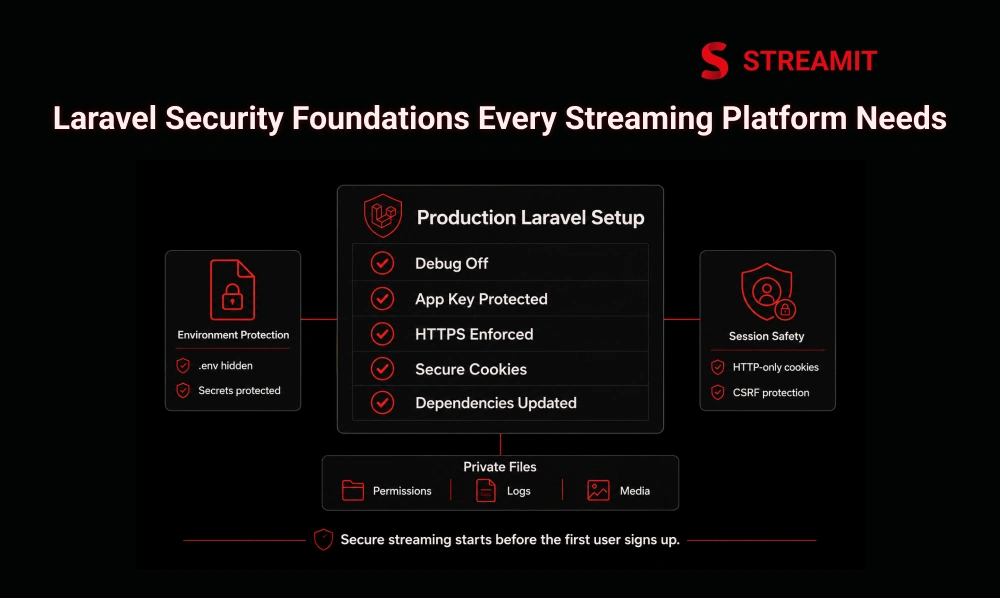
Security starts before the first user signs up. Production settings, environment files, app keys, HTTPS, cookies, permissions, and updates decide how safe the platform feels under real traffic.
A simple Laravel setup can run a streaming app. A secure Laravel setup protects the business when more users, more plans, and more devices enter the system.
Protect Debug Mode, App Keys, Environment Files, and HTTPS
Debug mode should never be active in production. It can expose sensitive application details that attackers should never see.
The app key, environment file, database credentials, payment keys, and storage credentials must be protected carefully. HTTPS should be enforced across login, checkout, admin, and playback routes.
Secure Sessions, Cookies, CSRF Protection, and File Permissions
Sessions and cookies protect user identity across the platform. If these are misconfigured, login security becomes fragile.
CSRF protection should be active for web forms, especially login, profile, checkout, and admin actions. File permissions should prevent public access to private application files.
Keep Laravel, PHP, Packages, and Server Dependencies Updated
Old packages create a quiet risk. A streaming platform may work perfectly while still carrying outdated dependencies.
Laravel, PHP, server packages, payment libraries, and media tools should be updated on a controlled schedule. Security maintenance should be part of platform operations, not an emergency task.
| Security Area | What to Check | Why It Matters |
|---|---|---|
| App configuration | Debug off, app key protected, env hidden | Prevents sensitive data exposure |
| Transport security | HTTPS across all user and admin flows | Protects login and payment traffic |
| Sessions and cookies | Secure, HTTP-only, correct lifetime | Reduces hijacking risk |
| Dependencies | Laravel, PHP, packages updated | Reduces known vulnerability exposure |
| File permissions | Private files blocked from web access | Protects configs, logs, and media |
Part 3
Protect Users, Roles, Admins, and APIs
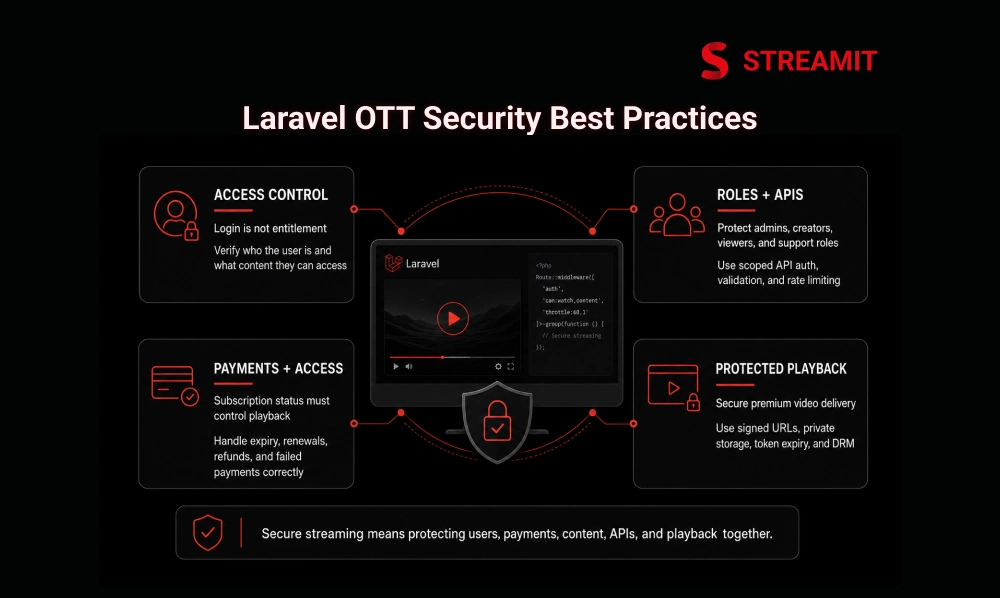
Most OTT risk sits in access control. The platform must separate viewers, admins, creators, editors, support teams, and finance users clearly.
When roles are vague, mistakes become expensive. A support user should not manage payouts. A creator should not see platform-wide analytics. A viewer should never reach admin-level routes.
Use Strong Login Security, MFA, and Protected Admin Routes
Login security should include strong password handling, throttling, and multi-factor authentication for admin and internal users.
Admin routes should be separated, protected, monitored, and limited to trusted roles. A streaming business should treat admin access as a revenue-critical control.
Separate Viewer, Admin, Creator, and Support Roles Clearly
Role-based access control keeps users inside the right boundaries. Each role should have clear permissions and nothing more.
Viewer, admin, creator, moderator, support, and finance roles should be designed before scaling. This avoids rushed permissions later.
Use Sanctum or Passport for Secure API Authentication
Streaming platforms usually need APIs for mobile apps, TV apps, web apps, admin panels, and external services.
Laravel Sanctum or Passport can support secure API authentication depending on the product structure. The important point is to avoid loose or custom token handling without expiry and scope planning.
Validate Requests and Rate Limit Login, Playback, and Payment APIs
Every request should be validated on the server, not only in the interface. This protects forms, filters, uploads, metadata, and API payloads.
Rate limits should apply to login, OTP, playback, search, payment callbacks, coupon use, and sensitive API routes. Abuse often starts with repeated requests, not sophisticated attacks.
Part 4
Secure Paid Content, Playback, and Media Delivery
In OTT, the video file is the product. If playback access is weak, the platform loses control even when the user dashboard looks secure.
Paid content protection needs a separate layer of thinking. Login confirms identity, but entitlement confirms whether that identity can watch this specific video right now.
Separate Logged-In Access From Paid Content Access
A logged-in user is not always a paid user. A paid user is not always allowed to watch every title.
The platform should check plan status, content access, expiry date, region rules, rental window, purchase history, and device rules before playback begins.
Use Signed URLs or Tokenized Links for Protected Playback
Signed URLs and tokenized links help limit how long a playback link remains useful. This reduces casual sharing and repeated use outside the intended session.
The token should be short-lived and tied to the correct user, content, session, or device rule where possible.
Avoid Public Video Files and Direct Storage Paths
Premium videos should not sit in public folders with predictable paths. Direct file access creates avoidable risk.
Use private storage, controlled delivery, and access checks before generating playback links. Public storage is fine for thumbnails, not for premium media.
Use DRM or Encryption for Premium Streaming Content
DRM or encryption becomes important when the content has high commercial value, licensing requirements, or piracy risk.
Not every platform needs the same level of protection at launch. But serious OTT products should plan for stronger content protection before premium libraries grow.
Part 5
Secure CMS, Uploads, Payments, and Subscriber Data
Streaming teams often focus on the viewer app and forget the CMS. That is a mistake.
The CMS controls videos, metadata, banners, pricing, plans, creators, and sometimes payouts. If the CMS is weak, the whole platform becomes weak.
Validate Uploads and Separate Original, Processed, and Public Files
Uploads should be validated by type, size, source, and purpose. The platform should not trust file names or extensions alone.
Original files, processed files, thumbnails, trailers, and public assets should be stored separately. This gives better control over what can be accessed.
Sanitize Metadata, Subtitles, Descriptions, and User Inputs
Content metadata can become a security issue when teams allow unsafe input. Titles, descriptions, subtitles, comments, names, and profile fields should be cleaned before display.
This reduces cross-site scripting risk and keeps the CMS safer for editors, admins, and viewers.
Use Eloquent Safely and Avoid Unsafe Raw Queries
Laravel Eloquent and the query builder help reduce SQL injection risk when used correctly.
Problems usually appear when teams use raw queries carelessly, concatenate user input, or skip bindings. For streaming platforms, database safety matters because subscriber data, payments, plans, and content rules all live there.
Protect Payment Logic, Subscriber Data, Reports, and Analytics
Payment success should update access only through trusted, verified logic. Never rely only on front-end confirmation.
Subscriber data, invoices, watch history, reports, and analytics should be visible only to approved roles. Business data is also sensitive data.
Part 6
The Streaming Security Gap Most Teams Miss
The biggest OTT security gap is not always the login screen. It is the space between payment, entitlement, token creation, and playback.
A platform can accept payment correctly and still serve content incorrectly. This is where secure OTT access needs stronger thinking.
Payment Success Should Not Mean Playback Access Forever
Payment success should unlock access according to plan rules, not permanently. The platform must handle expiry, failed renewals, refunds, cancellations, and grace periods.
Access should be recalculated when needed. A user’s status can change after the first successful transaction.
Device Sharing, Expired Plans, and Token Reuse Need Clear Rules
OTT platforms need clear rules for device limits, concurrent streams, downloads, rentals, and shared accounts.
Token reuse should be limited. A playback token from yesterday should not behave like a lifetime ticket.
Playback Authorization Should Be Checked Close to the Viewing Session
Authorization should happen close to the moment of playback. This reduces the gap between old access data and current user status.
Before generating or refreshing a playback link, the platform should confirm the user, content, plan, device, and session conditions.
Security Must Work Across Web, Mobile, TV, and Admin Panels
A secure web app is not enough if the mobile or TV app uses weaker rules.
The same entitlement logic should work across web, mobile, TV, and admin systems. Security should be consistent, even when interfaces are different.
| Common Gap | Business Risk | Better Control |
|---|---|---|
| Payment unlocks access forever | Users watch after expiry | Recheck entitlement regularly |
| Playback link never expires | Links get shared | Use short-lived signed links |
| Same token works everywhere | Device abuse grows | Bind access to session/device rules |
| Admin roles are broad | Internal mistakes increase | Use role-specific permissions |
| TV app has weaker checks | Platform logic breaks across devices | Centralize entitlement rules |
Part 7
What to Check Before Scaling a Secure Laravel Streaming Platform
Before scaling, security should be tested like a business system, not only as a technical checklist.
The real question is simple: can the platform protect access, playback, payments, users, and admin actions when traffic increases?
Monitor Failed Logins, API Abuse, Playback Abuse, and Admin Changes
Security logs should track failed logins, password resets, suspicious API usage, playback failures, entitlement denials, payment events, and admin changes.
Monitoring helps teams find small issues before they become large incidents. Without logs, the platform only learns after damage is visible.
Test Auth, Roles, APIs, Uploads, Payments, and Playback Access
Security testing should include login flows, role boundaries, upload rules, API tokens, payment callbacks, subscription expiry, and playback access.
A streaming platform should test what users can do, what they cannot do, and what happens when rules conflict.
Run Regular Vulnerability Scans and Dependency Checks
Regular scans help find known issues in packages, server dependencies, exposed files, and misconfigured routes.
This should be repeated after releases, package updates, server changes, and major feature launches.
Choose a Platform Base That Supports Long-Term OTT Security
A scalable OTT platform needs more than good screens. It needs secure architecture, maintainable code, clear access logic, and room for stronger controls over time.
The best platform base supports security as the business grows, not only during the first launch.
Part 8
Why Streamit Fits Teams Building Secure Streaming Platforms
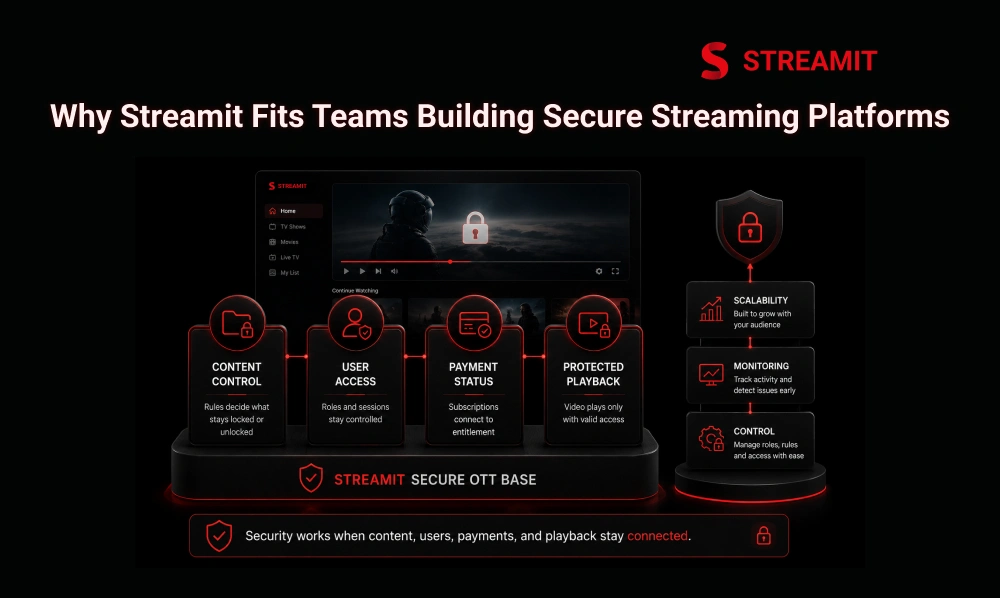
Streamit is built for teams that treat streaming as a business, not a short campaign. Security, scalability, monetization, and control need to work together.
For serious OTT brands, the goal is not to launch fast and fix everything later. The goal is to build a platform that can support growth without losing control.
It Helps Teams Manage Content, Users, Monetization, and Playback More Safely
Streamit helps teams manage content, users, subscriptions, monetization, and video delivery from a more structured base.
This matters because OTT security is not one feature. It is the connection between user access, payment status, content rules, and playback behavior.
It Gives Streaming Businesses a Better Base for Long-Term Security
A strong platform base makes future security work easier. Teams can improve roles, monitoring, entitlement rules, and playback controls without rebuilding the entire system.
For brands planning serious growth, this kind of foundation is more valuable than a quick launch with weak control.
Summary
Key Takeaways
Security Starts with Architecture
A Laravel-based streaming platform should protect users, payments, content, APIs, and playback from the very beginning – not as an afterthought.
Login Is Not Entitlement
A user being logged in does not mean they should automatically access paid content. Entitlement must be checked separately and continuously.
Playback Needs Its Own Protection
Signed URLs, tokenized links, private storage, DRM, and authorization checks all help protect premium video beyond the login screen.
Roles Must Stay Clear
Viewer, admin, creator, support, and finance access should be separated and scoped before the platform scales to avoid costly permission mistakes.
Payments and Access Must Stay Connected
Subscription status, refunds, failed renewals, and expiry should all correctly affect playback access in real time – not just at the moment of payment.
Monitoring Is Not Optional
Failed logins, API abuse, admin changes, payment events, and playback errors should be logged and reviewed regularly to catch issues early.
Conclusion
Conclusion
Laravel gives streaming businesses a strong development foundation, but a secure OTT platform needs more than standard web protection. It needs careful control over users, payments, subscriptions, files, APIs, roles, devices, and playback.
The platforms that scale safely are usually not the loudest at launch. They are the ones designed with long-term ownership, controlled access, and secure streaming infrastructure from the start.
For teams building a serious Laravel-based streaming platform, security should not be treated as a final checklist. It should be part of how the product is planned, built, monitored, and improved.
FAQs
Frequently Asked Questions
-
When should a Laravel streaming platform use DRM?
A Laravel streaming platform should use DRM when the content is premium, licensed, high-value, or exposed to piracy risk. DRM is most useful when basic signed links are not enough to protect commercial video assets.
-
Can payment success alone unlock video access safely?
No. Payment success should trigger entitlement rules, but access should still depend on plan status, expiry, refunds, cancellations, and content permissions. Playback should not stay open forever after one payment event.
-
How can token reuse create security risks in OTT apps?
Token reuse can let users share playback links, continue access after expiry, or stream from unauthorized devices. Tokens should be short-lived and tied to clear session, user, content, or device rules.
-
What API routes need rate limiting in a streaming platform?
Login, OTP, password reset, playback, search, coupon, payment, upload, and subscription routes should be rate-limited. These routes are common targets for abuse because they affect access, money, or system load.
-
What security logs should streaming platforms monitor?
Platforms should monitor failed logins, access denials, admin changes, payment callbacks, API spikes, upload failures, and playback authorization failures. These logs help identify abuse before it becomes a bigger issue.
-
How do signed URLs protect streaming content in Laravel?
Signed URLs help create time-limited access to protected files or routes. They reduce the risk of permanent link sharing by making playback links expire after a defined period.
Read Also
Read Also
1. 7 Best OTT Security Solutions for Streaming Platforms
2. End-to-End Encryption for Secure OTT Streaming
3. Why Streamit Focuses on AI-First Streaming Infrastructure
4. Why Full Ownership Matters When Building with Streamit
5. What Is Streamit? AI-First OTT Platform for Streaming Businesses