Kaltura Alternatives for OTT Platforms and Video Streaming


At $25K–$75K budgets, the wrong video platform does not fail on launch day. It fails when users, content, apps, billing, and support start moving together. That is why many teams begin comparing Kaltura alternatives only after they realize video hosting is not the same as building an OTT business.
Kaltura is a serious enterprise video platform. But if your goal is branded OTT apps, monetization control, subscriber growth, and long-term ownership, the buying decision needs a wider lens. This guide helps you compare options without falling into the “feature checklist” trap.
Context
Why Teams Look for Kaltura Alternatives
Most teams do not leave a platform because it has no features. They look elsewhere because the platform no longer matches the business model. A university, an internal training team, and a paid streaming brand may all use video, but they are not solving the same problem.
For OTT brands, the real question is simple: are you managing videos, or are you building a revenue-generating streaming product? Once subscriptions, TV apps, content rights, user retention, and analytics enter the picture, the platform decision becomes more strategic.
Kaltura Works Well for Enterprise Video, Live Streaming, and Learning Workflows
For internal video, learning, webinars, and enterprise media workflows, Kaltura can be a strong fit. It is built for organizations that need structured video management, live delivery, access control, integrations, and centralized content operations.
That makes sense for teams running training portals, education platforms, corporate communication, or large-scale video libraries. In these cases, the platform acts more like an enterprise video system than a full OTT business layer.
Streaming Brands Often Need More Control Over OTT Apps and Monetization
A streaming brand usually needs more than upload, play, and manage. It needs apps, subscriptions, rentals, ads, bundles, coupons, entitlements, payment logic, viewer journeys, and content rules working together.
This is where many teams start looking at Kaltura alternatives. They want stronger streaming app ownership, better monetization flexibility, and more control over how the platform evolves after launch.
The Right Alternative Depends on Whether You Need Enterprise Video or a Full OTT Business
The best Kaltura alternative depends on the job, not the logo. If your main need is enterprise video management, you should compare internal video platforms. If your goal is paid audience growth, you should compare OTT platform solutions.
A mistake here can get expensive. A platform that handles video workflows well may still leave gaps in apps, monetization, retention, and subscriber experience. That gap usually appears after the first serious growth stage.
Evaluation Framework
What to Compare in Kaltura Alternatives
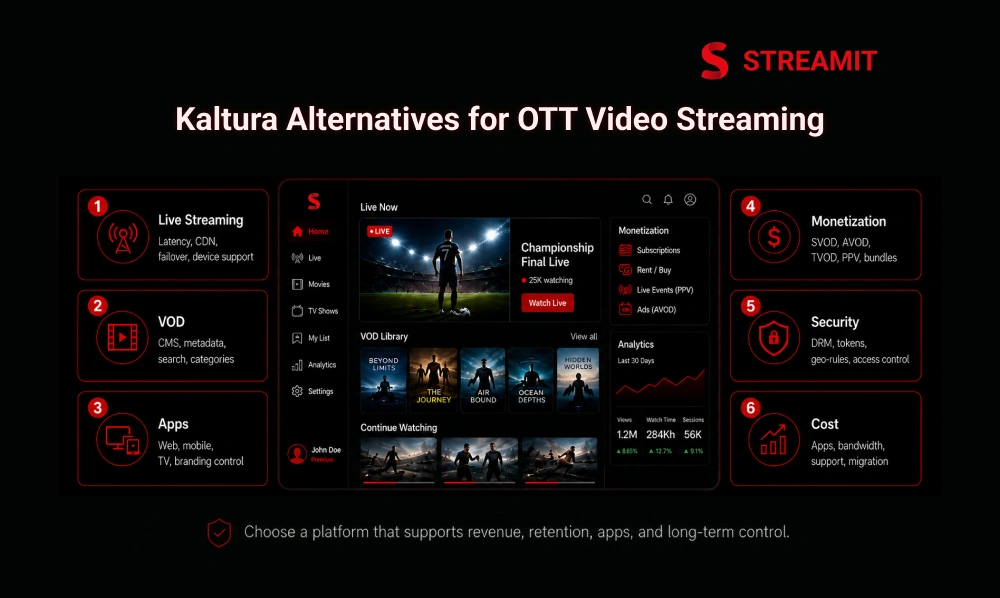
A better comparison starts with 5 business areas: delivery, apps, monetization, security, and cost. Looking only at Kaltura pricing or feature pages gives an incomplete view of what the platform will actually cost to run.
The right OTT platform comparison should answer one question: can this solution support the business we want in 12 months, not just the demo we need this month?
| Comparison Area | What to Check | Why It Matters |
|---|---|---|
| Streaming delivery | Live, VOD, CDN, playback | Protects viewing quality |
| App ownership | Web, mobile, TV apps | Controls user experience |
| Monetization | SVOD, AVOD, TVOD, PPV | Supports revenue flexibility |
| Security | DRM, access rules, entitlements | Protects premium content |
| Scaling cost | Setup, support, migration, bandwidth | Avoids hidden growth costs |
Live Streaming, VOD Delivery, CDN, and Playback Stability
One buffering issue can damage more trust than 10 missing features. For live streaming and VOD platforms, playback stability should sit at the top of the comparison.
Check CDN strategy, adaptive bitrate support, device coverage, uptime expectations, live event handling, and recovery workflows. A strong video streaming platform should be judged by what happens during peak traffic, not only during a controlled demo.
OTT Apps, CMS, Video Library, Metadata, and Search
Content discovery becomes a business problem after the library crosses 100+ titles. A clean CMS, metadata structure, search, categories, watch history, and continue-watching logic all affect retention.
OTT apps should not feel like a video folder with a payment button. The platform should help users find content faster, return to unfinished content, and move naturally from one viewing session to the next.
Monetization, Security, DRM, APIs, and Integrations
Monetization breaks when billing, access, and playback are treated as separate systems. A serious OTT platform should support subscriptions, ads, rentals, pay-per-view, coupons, trials, and hybrid models.
Security also matters early. DRM, signed access, geo-rules, device limits, user entitlements, and API integrations should be part of the platform plan, especially when content is premium, licensed, or paid.
Pricing, Implementation, Support, Migration, and Scaling Costs
The cheapest platform is rarely cheap after migration, support, and scaling are included. Teams should compare total cost of ownership, not just monthly subscription or setup pricing.
Look at implementation effort, developer dependency, migration complexity, support quality, app store publishing, bandwidth, storage, and custom feature costs. These are the areas where long-term platform economics become visible.
Platform Guide
Best Kaltura Alternatives by Streaming Business Need
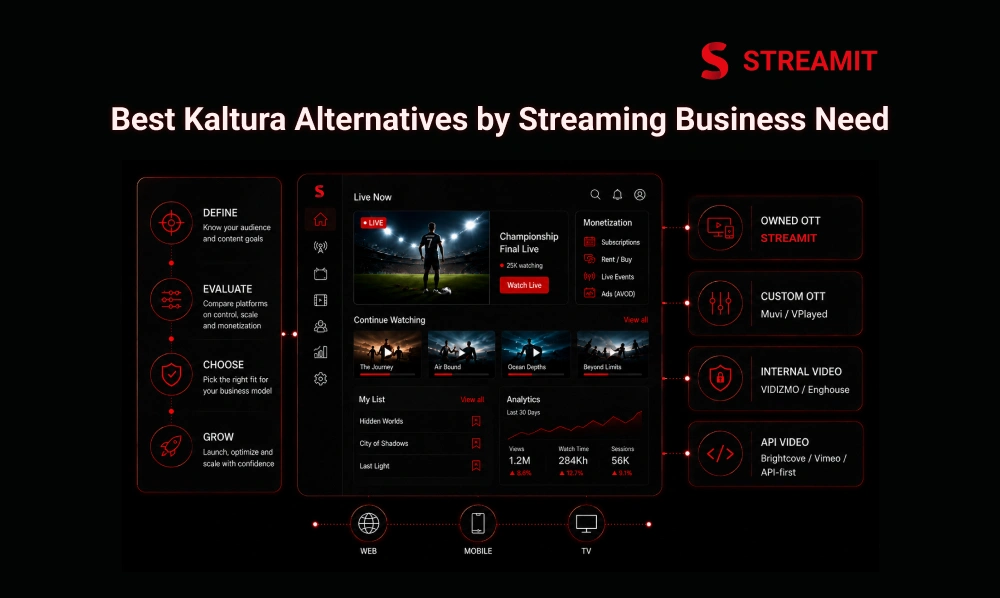
There is no single best Kaltura alternative for every team. A broadcaster, creator network, education brand, enterprise company, and sports platform may all need different levels of control.
A cleaner shortlist starts with business need. The table below gives a practical way to think before choosing a vendor.
| Business Need | Better-Fit Direction |
|---|---|
| Owned OTT platform with apps | Streamit |
| Enterprise OTT customization | Muvi or VPlayed |
| Internal enterprise video workflows | VIDIZMO or Enghouse |
| Video distribution and APIs | Brightcove, Vimeo, or API-first platforms |
Streamit for Brands That Want OTT Apps, Monetization, and Growth Control
Streamit fits teams that see OTT as a business, not a temporary video project. It is better suited for brands that want branded apps, monetization, content control, analytics, and long-term ownership in one direction.
This makes it useful for entertainment, education, fitness, sports, spirituality, and niche streaming businesses. The focus is not just launching a platform, but creating a base that can support growth after users begin paying.
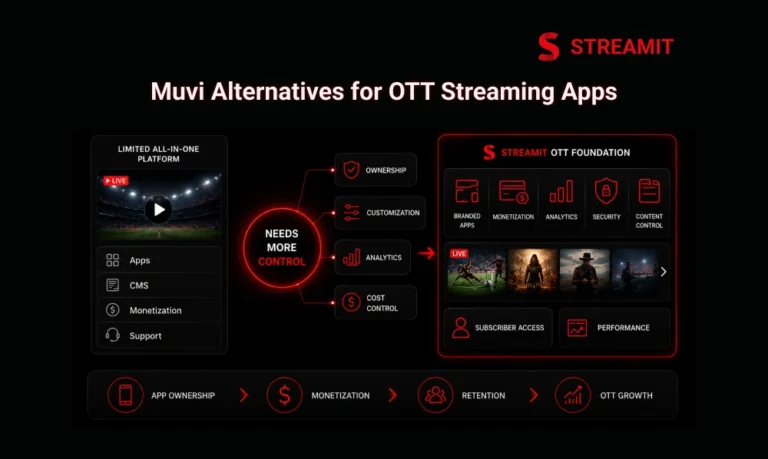
Muvi or VPlayed for Enterprise OTT Ownership and Customization
Muvi and VPlayed are usually considered when teams want enterprise OTT ownership and customization. They are relevant for brands that want white-label streaming, multi-device reach, and monetization options with more control than basic video hosting.
These options make sense when the buying team already understands its app roadmap, content model, monetization mix, and operating budget. The decision should come down to implementation control, support depth, customization flexibility, and long-term cost.
VIDIZMO or Enghouse for Enterprise Video Management and Internal Workflows
VIDIZMO and Enghouse are stronger fits when the problem is enterprise video management, not consumer OTT growth. These platforms are often more relevant for secure internal video, compliance, corporate communication, training, and controlled access workflows.
If the audience is employees, partners, students, or internal teams, this category may be the right lane. If the audience is paying subscribers, the platform should be tested against OTT growth needs first.
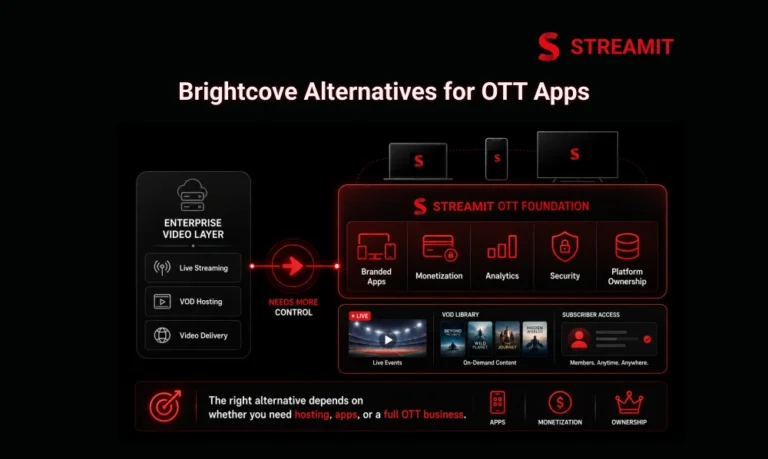
Brightcove, Vimeo, or API-First Platforms for Video Distribution and Custom Workflows
Brightcove, Vimeo, and API-first platforms can work well when distribution flexibility matters most. They are often considered by teams that need video hosting, playback, APIs, marketing video, or custom workflows around existing infrastructure.
The tradeoff is that app ownership, monetization logic, subscriber journeys, and retention systems may still need additional layers. For teams with strong internal product and engineering capacity, that may be acceptable.
Decision Framework
The Enterprise Video vs OTT Platform Test Most Teams Skip
The simplest test is this: are you optimizing for internal control or external revenue? Enterprise video and OTT platforms overlap technically, but they are not the same business category.
A platform chosen for training, events, or internal workflows may not automatically support audience-facing growth. Teams should make this distinction before contracts, migration, and app planning begin.
Decide If You Need Internal Video Workflows or Audience-Facing OTT Apps
Internal video workflows prioritize governance, access, search, permissions, and integrations. Audience-facing OTT apps prioritize engagement, monetization, discovery, performance, branding, and device experience.
This difference changes the platform choice. An enterprise video platform may be excellent for managing content but less ideal for building a paid streaming brand across web, mobile, and TV.
Check Whether Your Main Problem Is Learning, Events, Monetization, or Viewer Growth
One platform rarely solves learning, events, monetization, and viewer growth equally well. Teams should name the main problem before comparing vendors.
If the goal is learning, LMS integrations matter. If the goal is live events, reliability matters. If the goal is OTT monetization, billing and access logic matter. If the goal is growth, retention and analytics matter.
Avoid Choosing a Platform That Solves Video Management but Not OTT Growth
A good video library does not automatically create a good streaming business. OTT growth depends on what happens after users open the app: what they watch, what they skip, what they pay for, and whether they return.
This is why platform strategy matters. The right solution should connect content, apps, monetization, analytics, and retention instead of treating them as separate pieces.
Streamit Deep Dive
Why Streamit Fits Teams Looking for a Kaltura Alternative
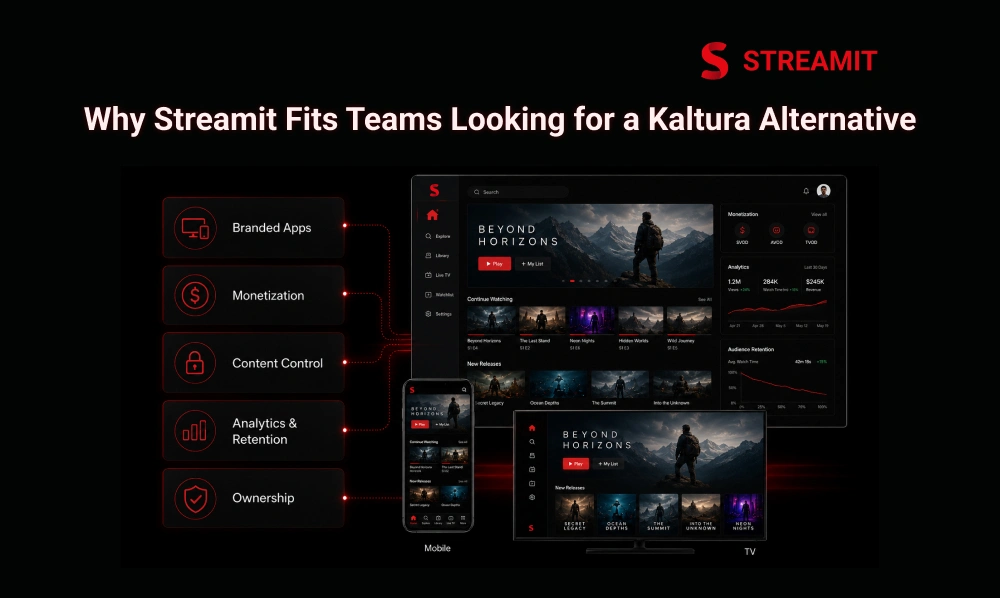
Streamit is a strong fit when the goal is not just video operations, but OTT ownership. It gives streaming brands a clearer base for building apps, monetization workflows, and content experiences around their own business model.
For teams comparing Kaltura alternatives, Streamit makes sense when the priority is audience-facing OTT growth rather than only internal video management. That distinction is important.
It Supports Branded OTT Apps Across Web, Mobile, and TV
A serious OTT brand cannot depend on web-only viewing forever. Viewers expect access across mobile, web, and TV screens, especially when content is paid or premium.
Streamit supports the direction streaming teams usually need: branded apps, multi-device delivery, and a more controlled user experience. This gives brands more room to shape how users browse, watch, subscribe, and return.
It Supports Monetization, Content Control, Analytics, and Retention
OTT revenue improves when monetization and content access work together. Streamit is built around the practical needs of streaming businesses: pricing models, content control, analytics, and viewer retention.
This matters because growth is not only about adding more videos. It is about understanding which content keeps users active, which plans convert, and where viewers drop off.
It Gives Streaming Brands a Better Base for Long-Term OTT Growth
The platform you choose should support the next 12 months, not only the first launch week. Streamit gives teams a more growth-focused base when they want ownership, scalability, and product control.
That makes it a strong Kaltura alternative for brands moving from video management toward a complete streaming business. The advantage is not only features; it is the direction of control.
Summary
Key Takeaways
Video Management ≠ OTT Growth
Kaltura can work well for enterprise video and learning workflows, but OTT brands need to compare platforms based on apps, monetization, retention, and long-term ownership.
App Ownership Matters Before Launch
A streaming business needs control over web, mobile, and TV experiences because the viewer journey directly affects engagement, subscriptions, and repeat usage.
Monetization and Access Must Work Together
Billing status and video access should never work in isolation. If payment succeeds but content remains locked, users lose trust quickly and support issues increase.
Security Should Be Planned Early
DRM, signed access, geo-rules, device control, and entitlement protection should be planned early when content is premium, licensed, or paid – before scale, not after.
Total Cost Matters More Than Starting Price
Platform pricing should be compared with implementation, migration, support, app publishing, bandwidth, storage, and future customization costs to see the real picture.
Streamit Fits OTT Ownership Goals
For teams looking beyond enterprise video management, Streamit gives a stronger base for branded apps, monetization, content control, analytics, and long-term streaming growth.
Conclusion
Conclusion
The best Kaltura alternative is the one that matches your business model, not just your video workload. If your main need is internal video, enterprise video platforms may be enough.
But if your goal is to build a paid OTT platform with branded apps, monetization, content control, and viewer growth, you need a platform designed around ownership. For those teams, Streamit is worth serious consideration.
FAQs
Frequently Asked Questions
-
Is Kaltura better for enterprise video or OTT apps?
Kaltura is often stronger for enterprise video, learning workflows, webinars, and internal content management. For audience-facing OTT apps, brands should compare alternatives that give more control over apps, monetization, and subscriber growth.
-
What should brands compare beyond Kaltura pricing?
Brands should compare app ownership, DRM, CDN, monetization, analytics, APIs, support, migration, and scaling costs. Pricing alone does not show the real cost of running an OTT platform over time.
-
What DRM and security features should Kaltura alternatives include?
A Kaltura alternative should include DRM, signed access, geo-rules, device controls, secure APIs, and entitlement-based playback. These features matter most when content is premium, licensed, paid, or region-restricted.
-
What analytics should a Kaltura alternative provide?
A strong OTT platform should show watch time, drop-offs, device usage, user behavior, content performance, subscription activity, and retention signals. Analytics should help teams improve revenue, not just count views.
-
How do teams avoid choosing the wrong video platform?
Teams should first decide whether they need enterprise video management or a full OTT business platform. Then they should compare vendors based on the next 12 months of growth, not only the launch requirement.
Read Also
Read Also
1. Streamit vs Muvi: 7 Features You Can’t Ignore in 2026
2. Streamit vs Uscreen: Which OTT Platform Is Better in 2026?
3. Best Vimeo Alternatives for OTT and Streaming Platforms
4. Streamit vs Dacast: Which Streaming Platform Is Better in 2026?
5. Streamit vs Vodlix: Which OTT Platform Is Better in 2026?